Video SEO Tactics to Help Your Brand Outrank Text-Only Competitors

How Can Video SEO Help Your Business Get Found?
To improve video SEO for business, start with a question your customers ask. Make a video that answers it clearly, then give it a specific title, an accurate description, and captions. If you publish it on your website, place it prominently on a relevant page and make sure search engines can find it. These steps give your video a better chance of being discovered on YouTube and Google, while helping visitors decide whether your business can solve their problem.
I’m Clayton Johnson, founder of SmallBizSEO. My work on video SEO for business includes reviewing a video on our local SEO page to make its message clearer; we have not measured an SEO lift from that change.
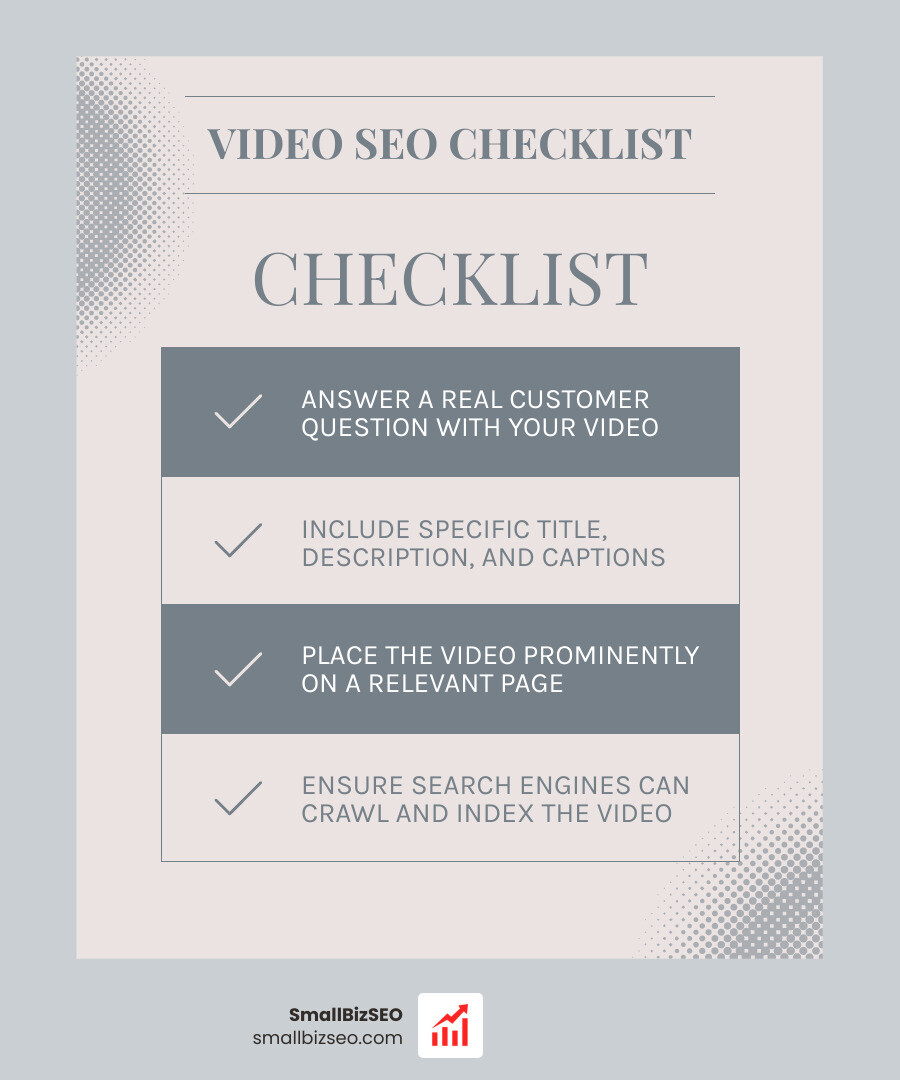
Video SEO for business terms at a glance:
What Are the Core Foundations of Video SEO for Business?
Video SEO matches videos directly to user search intent, optimizes both the media asset and the host page, and aligns every video with a defined stage in the customer journey.
When prospective clients look for solutions, text results often present walls of generic copy. A well-placed video snippet stands out instantly on modern search engine results pages. Google surfaces video listings with prominent thumbnails, timestamps, and interactive preview clips that plain text links simply cannot duplicate.
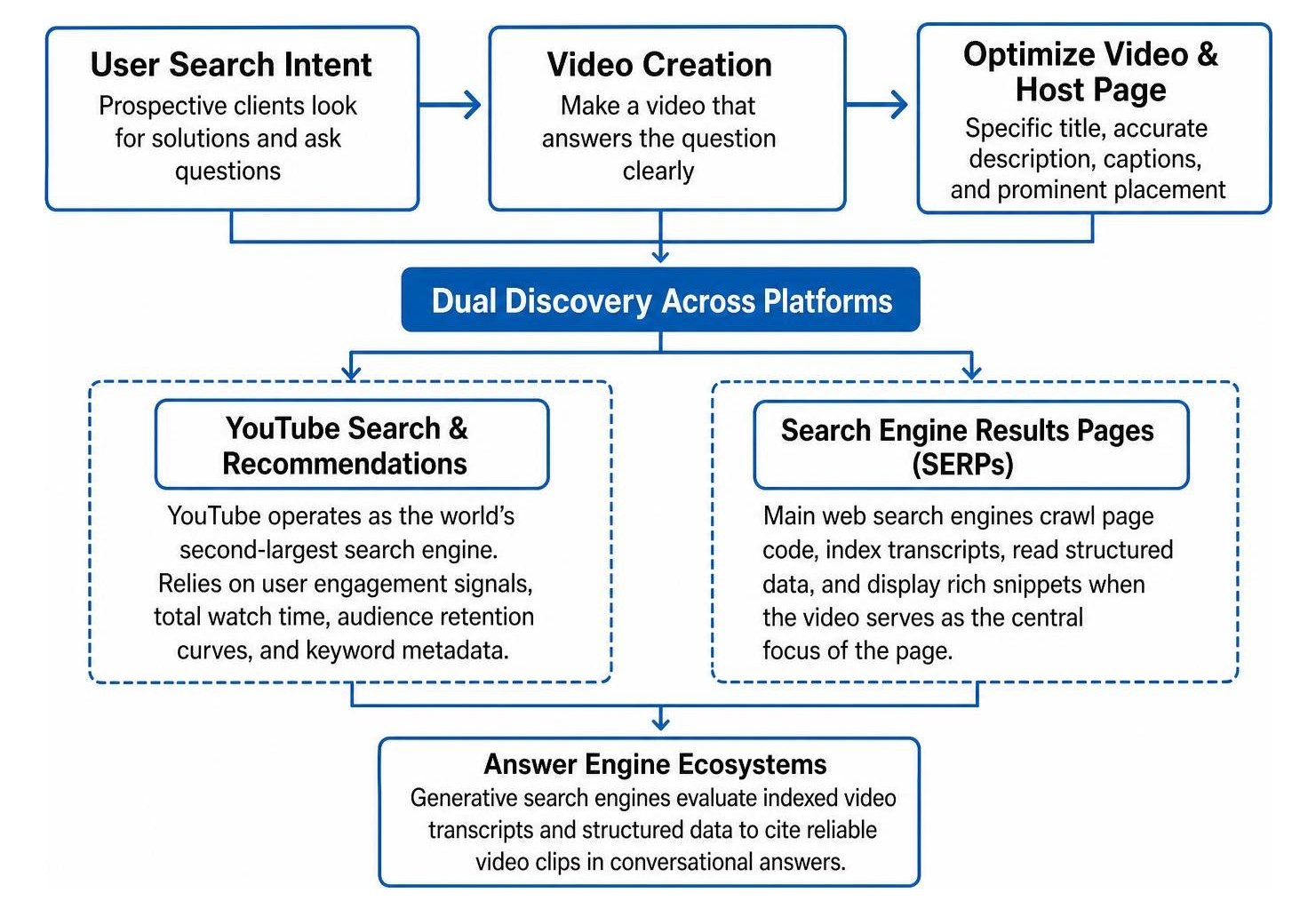
To succeed, we treat video discovery as a dual-surface ecosystem:
- YouTube Search and Recommendations: YouTube operates as the world's second-largest search engine. It relies heavily on user engagement signals, total watch time, audience retention curves, and keyword metadata.
- Search Engine Results Pages (SERPs): Main web search engines crawl page code, index transcripts, read structured data, and display rich snippets when the video serves as the central focus of the page.
- Answer Engine Ecosystems: Generative search engines evaluate indexed video transcripts and structured data to cite reliable video clips in conversational answers.
Integrating video with comprehensive on-page SEO elevates page engagement. Visitors stay on pages with engaging video longer, which reinforces topical relevance and authority across your entire domain.
How Do You Identify High-Intent Keywords for Video SEO for Business?
To find high-intent video keywords, focus on specific search queries where users actively prefer watching a demonstration over reading text, such as tutorial queries, tool comparisons, and direct question prompts.
Not every query requires a video response. Search engines prioritize video listings for terms where visual demonstration delivers superior value. You can discover high-converting topics using these methods:
- Verify SERP Video Features: Enter target phrases into search engines. If the results page returns video carousels, featured clips, or dedicated thumbnail previews, the query has proven video intent.
- Mine YouTube Autocomplete: Enter core commercial topics into the YouTube search bar. The suggested completions represent real, high-volume searches from active users.
- Target Long-Tail Pain Points: Target detailed queries such as troubleshooting specific software errors, comparing product materials, or explaining pricing calculations. These specific terms often have lower competition and convert at higher rates.
- Answer Real Customer Questions: Review your inbound sales inquiries and support tickets. Topics addressing cost, onboarding steps, and common buyer mistakes make ideal video subjects.
Our team develops search-led content calendars through targeted SEO content services, ensuring every recorded video answers an existing commercial question.
How Do You Optimize Video Metadata, Transcripts, and Thumbnails?
Optimize video metadata by crafting front-loaded titles under 60 characters, writing informative descriptions, designing high-contrast custom thumbnails, and publishing complete, verbatim transcripts.

Search crawlers and artificial intelligence models cannot watch raw footage the way humans do. They depend on text signals, structured metadata, and viewer interaction patterns to gauge relevance.
- Video Titles: Keep titles concise and under 60 characters to prevent truncation on mobile screens. Front-load your target keyword naturally and provide a clear benefit. For instance, write "How to Fix Low Water Pressure (Step-by-Step Guide)" rather than "Plumbing Advice Episode 4."
- Detailed Descriptions: Draft descriptions of 200 words or more. State the primary answer in the opening two sentences, summarize core talking points, and include helpful outbound links to related resources.
- Timestamped Chapters: Add sequential timestamps in your description (for example, "01:15 - Diagnosing the Valve"). These timestamps create "Key Moments" in search results, allowing searchers to jump directly to the exact answer they need.
- Custom Thumbnails: Design clean, 1280x720 pixel thumbnails using clear imagery, high color contrast, and large, readable text overlays. Thumbnails drive organic click-through rates, signaling relevance to search algorithms.
- Captions and Full Transcripts: Upload manual closed captions (SRT files) rather than relying on unedited automated transcripts. Publish the full text transcript directly beneath embedded videos on your site. This simple step makes spoken dialogue completely indexable as visible page text, while applying proven video search optimization tips and specialized SaaS video ranking techniques.
Where Should You Host Content: YouTube vs. Dedicated On-Site Video Hosting?
Host your video on YouTube when broad public reach and third-party discovery are the primary goals; choose dedicated business hosting when conversion capture, branding control, and site page performance take precedence.
Selecting the right hosting platform shapes how search equity flows to your brand:
| Feature / Goal | YouTube Hosting | Dedicated Business Hosting (Wistia, Vimeo) | Self-Hosted on Server |
|---|---|---|---|
| Primary Advantage | Massive built-in search audience | Clean player, deep conversion tools | Absolute ownership of media assets |
| Search Equity | Search results link to YouTube | Search results link to your website | Search results link to your website |
| Player Branding | YouTube logos and suggested ads | Custom brand colors, no outside ads | Full code customization |
| Bandwidth Costs | Completely free hosting and streaming | Predictable subscription tier | High risk of costly bandwidth overages |
| Best Used For | Top-of-funnel discovery, brand reach | Product demos, gated lead magnets | Lightweight background video clips |
For most companies, a hybrid approach works best. Publish brand-building, top-of-funnel educational videos directly to YouTube using an established YouTube optimization strategy for business. Then, embed high-intent product demos and conversion videos onto your website using modern video streaming infrastructure.
When embedding videos on your domain, use lightweight placeholder images with lazy loading. This prevents heavy third-party JavaScript from slowing down your site speed or harming Core Web Vitals.
How Do You Implement Video SEO with Technical Schema, AI Search, and Analytics?
Implement technical video SEO by embedding videos prominently in clean HTML, deploying structured VideoObject schema, submitting XML video sitemaps, and tracking real business conversions across search platforms.
Search engines index videos only when pages make media discoverable and technically accessible according to official guidelines provided in Video SEO Best Practices | Google Search Central. Following robust enterprise technical SEO implementation standards guarantees that Googlebot can fetch, render, and index your media without crawling roadblocks.
What Technical Schema and Video Sitemaps Help Ensure Proper Indexing?
To ensure proper search indexing, add comprehensive VideoObject JSON-LD structured data to your host page and submit a dedicated XML video sitemap in Google Search Console.
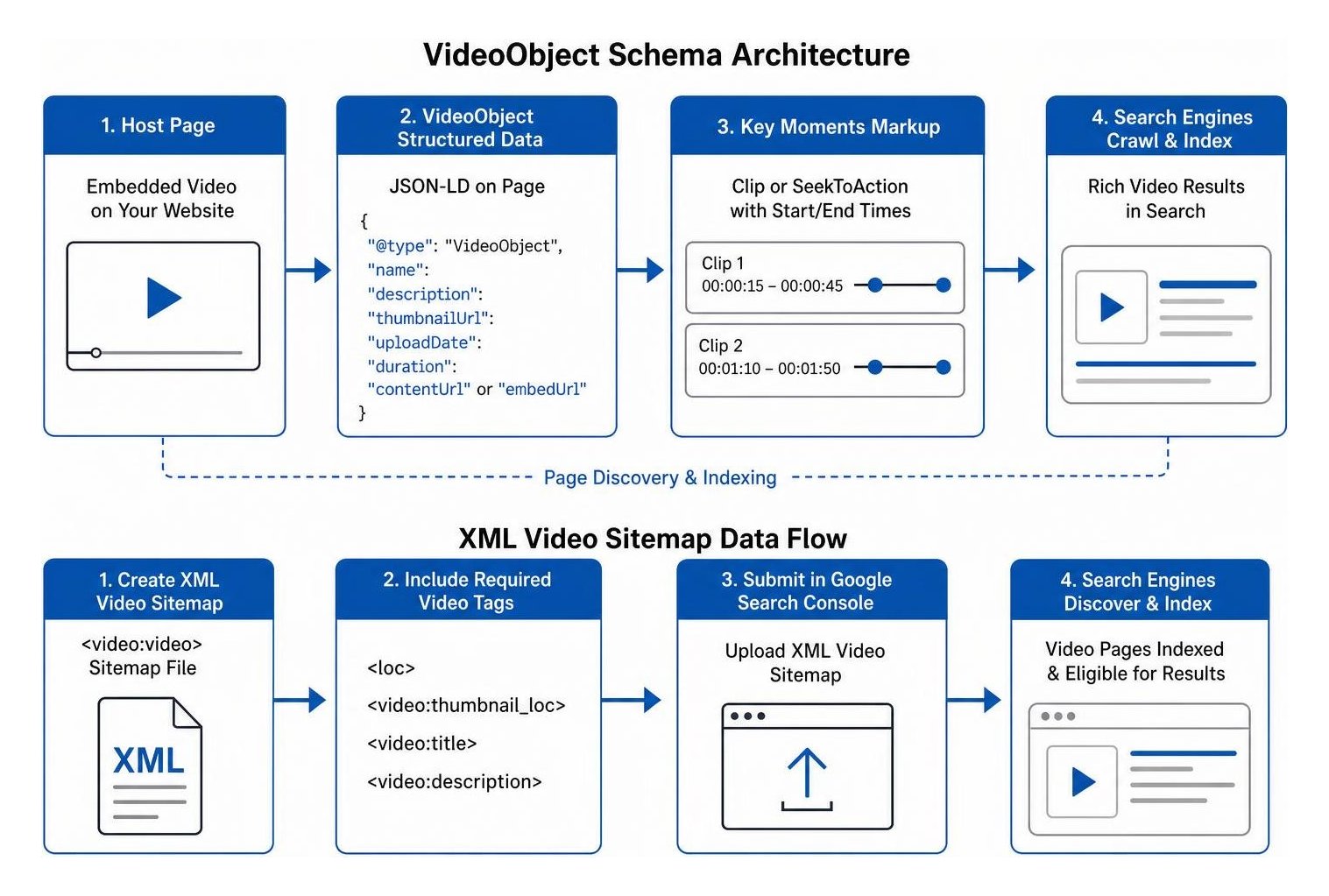
Search crawlers require specific data fields to generate rich video results in search listings:
- VideoObject Structured Data: Add JSON-LD code containing required properties:
name,description,thumbnailUrl,uploadDate,duration, andcontentUrl(orembedUrl). - Key Moments Markup: Use
CliporSeekToActionschema properties to define specific starting and ending timestamps for individual video segments. - XML Video Sitemaps: Generate an XML sitemap using the
video:videoextension. Include direct pointers to the page location (loc), thumbnail location (video:thumbnail_loc), title (video:title), and description (video:description). - Prominent Page Placement: Embed the video prominently within the main body of the page using standard
videooriframetags. Search engines may ignore videos hidden deep inside hidden tabs, behind complex user interactions, or below endless sidebars.
Coupling structured data with advanced visual content optimization ensures search engines recognize your video as the central subject of the page.
How Does Generative AI Search Change Video Discoverability?
Generative AI search engines discover and cite video content by analyzing full text transcripts, chapter headings, and structured data to answer conversational queries.
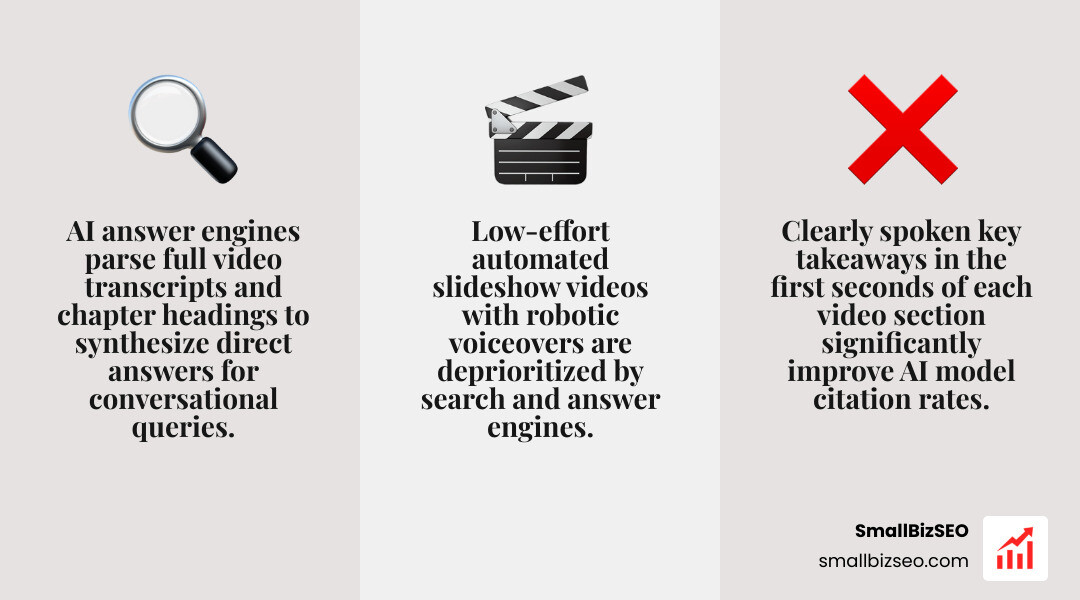
Modern AI answer engines do not simply list traditional blue links; they synthesize answers directly from authoritative web sources. When an answer engine answers a user's question, it reads indexed video transcripts and references specific timestamped segments.
To make your videos easily citable by AI models:
- Speak clearly and state key takeaways within the opening seconds of each section.
- Avoid low-effort, automated slideshow videos with robotic voiceovers. Search and answer engines favor high-effort content featuring real subject-matter experts.
- Build authoritative industry backlinks to your video host pages.
- If scaling video production internally feels overwhelming, consider partnering with a dedicated YouTube SEO company to manage production workflows and technical distribution.
How Do You Track Video SEO Performance and Conversion Metrics?
Track video SEO performance by monitoring Search Console video indexing reports, tracking viewer retention curves in analytics, and measuring downstream commercial actions like demo requests and form submissions.
Tracking views alone will not tell you if video marketing drives revenue. Instead, evaluate performance across three distinct tiers:
- Indexing Health: Check Google Search Console's "Video Indexing" report to confirm whether embedded videos are successfully indexed and serving rich results.
- Audience Engagement: Analyze average view duration, drop-off points, and click-through rates in platform analytics. A sharp drop in the first ten seconds usually points to a slow introduction or a misleading title.
- Pipeline Impact: Monitor downstream business actions generated by pages with embedded video. Compare conversion rates on pages with video against text-only landing pages.
Reviewing key video marketing metrics helps you pinpoint which video formats consistently deliver measurable business growth.
Taking Your Next Steps with Business Video SEO
Video SEO transforms your company's digital presence from static text into an interactive, high-converting discovery engine. By identifying real customer questions, crafting engaging videos, optimizing metadata and transcripts, and implementing structured schema, you can outrank text-only competitors and secure prime visibility across search engines.
At SmallBizSEO, we help businesses implement data-driven optimization strategies that capture organic market share and accelerate search performance. When you are ready to evaluate your current search footprint and uncover new growth opportunities, request a comprehensive SEO visibility audit from our team.