Finding Your True AI Audience Inside Google Analytics 4 Reports
How can you see AI referral traffic in GA4?
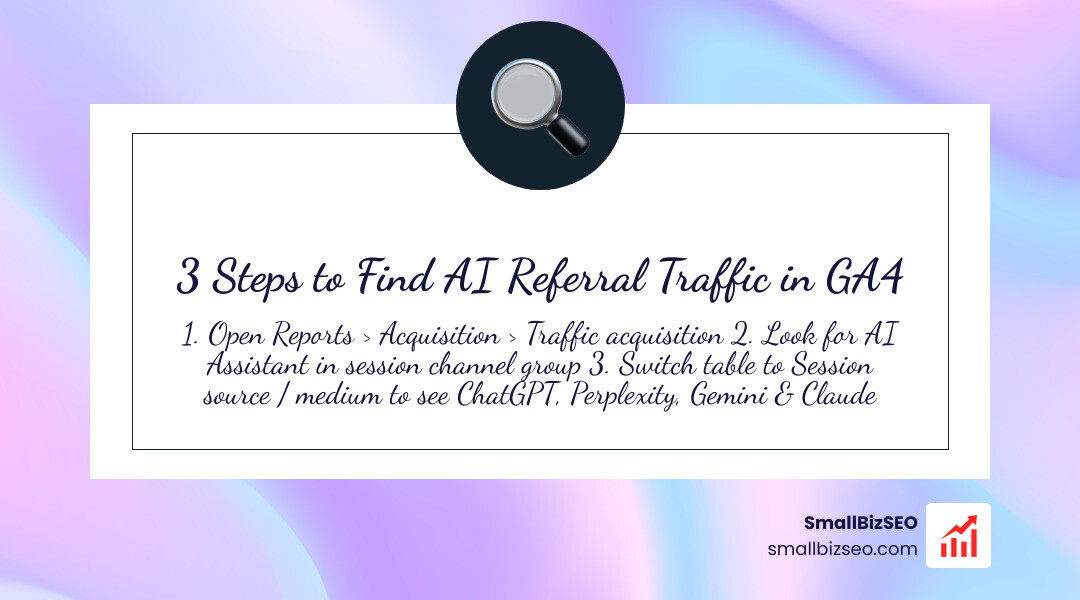
To see AI referral traffic in GA4, open Reports > Acquisition > Traffic acquisition. Look for AI Assistant in the session channel group. Then switch the table to Session source / medium to see sources such as ChatGPT, Perplexity, Gemini, and Claude. If a source is missing from the AI Assistant channel, check Referral or use a source filter to find it.
This report shows only visits GA4 can identify. Links opened in apps or without referral information may appear as Direct, so your AI traffic count is a starting point, not a complete total.
I’m Clayton Johnson, founder of SmallBizSEO. My work in SEO and AI-driven discovery helps small businesses learn how to see AI referral traffic in GA4 and use those findings to improve content.
How to see ai referral traffic in ga4 terms at a glance:
- how to identify ai referral traffic in ga4
- why ai citations do not always produce measurable referral visits
How to See AI Referral Traffic in GA4 Using Custom Channel Groups and Filters
To reliably isolate visits from conversational engines, you must build a custom channel group using regular expressions (regex). By default, Google Analytics 4 lumps many conversational search engines into a generic Referral bucket or misclassifies mobile in-app browser sessions as Direct. Creating a dedicated channel ensures every inbound click from leading conversational tools is separated cleanly for acquisition reporting.
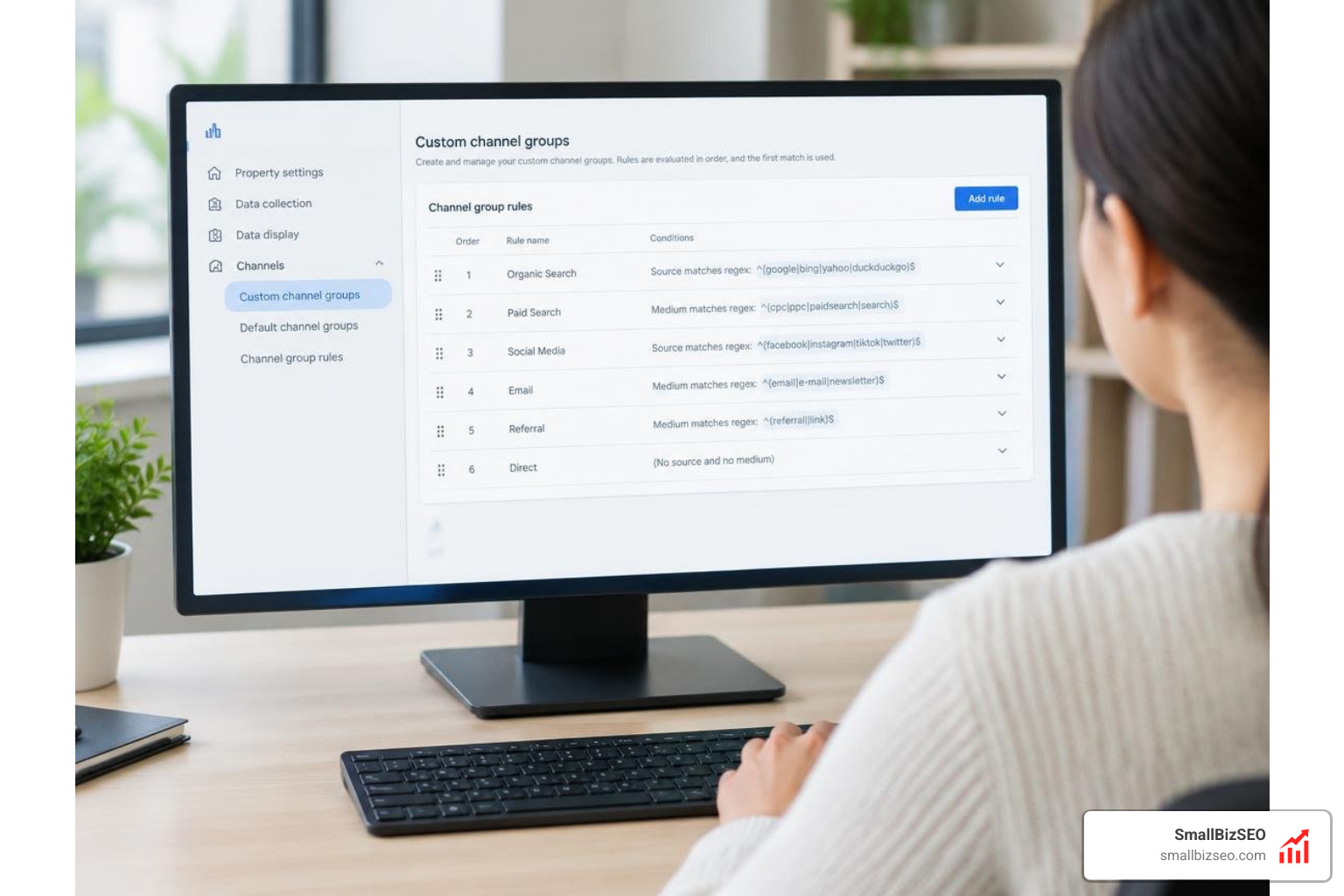
GA4 processes channel rules from top to bottom. If your custom AI channel rule sits below your standard Referral rule, GA4 evaluates the broad referral definition first and captures your conversational traffic before your custom rule ever runs. To keep your data organized, consult the official Google Analytics Help guide on custom channel groups to understand property limits and rule behaviors.
| Tracking Method | Setup Effort | Historical Data | Team Accessibility | Main Strength |
|---|---|---|---|---|
| Native AI Assistant Channel | None (Automatic) | Limited to native rollout | Standard reports | Zero configuration needed for basic sources |
| Custom Channel Group | 5 to 10 minutes | Populates forward in default views | Available across all standard reports | Full control over custom domain lists and regex |
| GA4 Explore Report | 10 to 15 minutes | Analyzes complete historical data | Saved to individual user library | Deep secondary dimension and funnel analysis |
Step-by-Step: How to See AI Referral Traffic in GA4 with Custom Channel Groups
To build an accurate custom channel group, navigate to your GA4 property settings and establish a dedicated evaluation rule that intercepts incoming traffic sources.
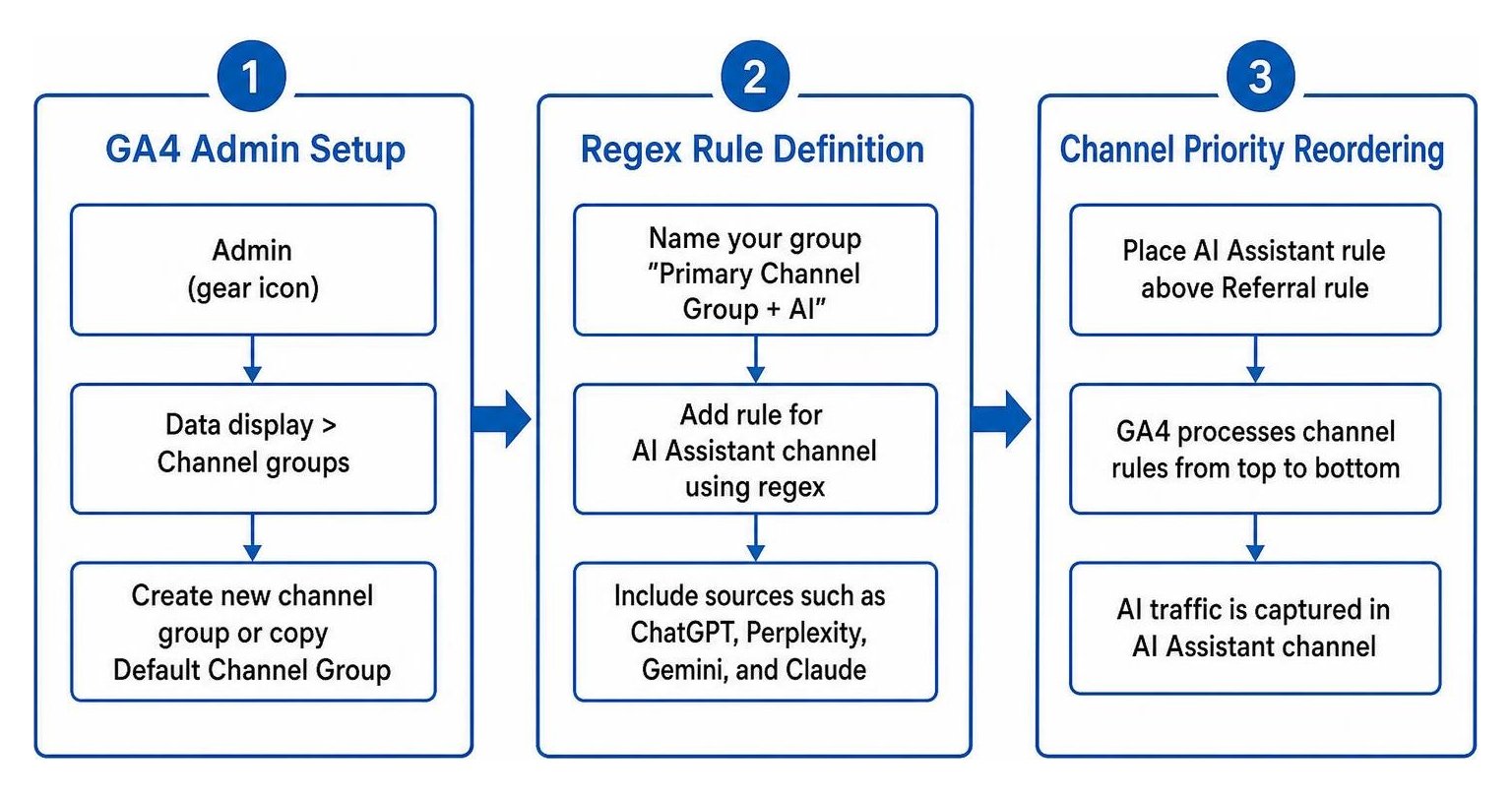
Follow these steps to configure your channel:
- Click Admin (the gear icon in the lower-left corner) and select Data display > Channel groups.
- Click Create new channel group (or copy your existing Default Channel Group).
- Name your group something clear, such as "Primary Channel Group + AI".
- Click Add new channel and name the channel "AI Referral" or "Artificial Intelligence".
- Set the rule condition to: Source matches regex.
- Paste your target domain regex pattern into the value field and click Save channel.
- In the channel list, drag your new AI channel to the top of the list so it sits above Referral and Organic Search.
- Save the entire channel group.
Using a custom group allows your team to analyze performance within standard Traffic Acquisition tables. As you review conversion paths, this structure lets you adapt your attribution model to account for multi-touch generative discovery journeys. For additional technical tips on channel configuration, explore this detailed guide on tracking AI traffic in GA4.
Advanced Reporting: How to See AI Referral Traffic in GA4 Explorations
While standard acquisition reports show high-level numbers, GA4 Explorations provide deeper analysis into user engagement, specific landing pages, and goal completions.
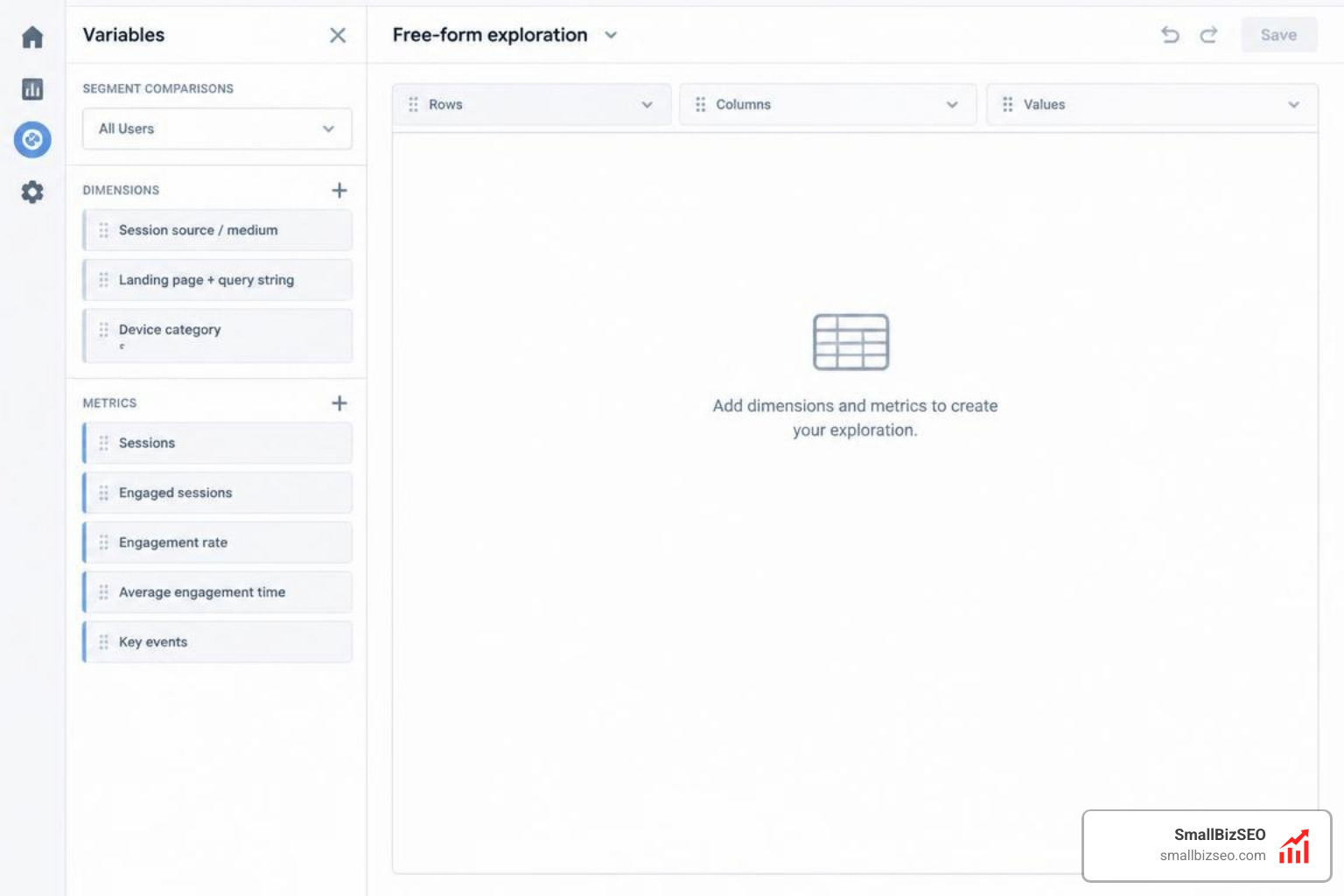
To build a custom exploration workspace:
- Navigate to the Explore tab in the left-hand navigation and select a Blank exploration.
- In the Variables panel, click the plus icon next to Dimensions and import Session source / medium, Landing page + query string, and Device category.
- Under Metrics, import Sessions, Engaged sessions, Engagement rate, Average engagement time, and Key events.
- In the Tab Settings panel, drag Landing page + query string into the Rows section and your engagement metrics into the Values section.
- Scroll down to Filters, create a filter for Session source that matches regex, and enter your AI domain list.
This view shows exactly which articles earn citations and prompt subsequent product signups or lead submissions. Tracking these interactions helps quantify assisted conversion paths where a conversational query introduced a prospect to your brand before they converted later. For a visual walkthrough of setting up these custom reports, watch this video tutorial on tracking AI traffic.
What Referral Domains and Regex Patterns Should You Track?
Your tracking regex must account for hostnames across all major conversational search platforms. In GA4, the Source dimension captures hostnames rather than full URL paths. Avoid appending subdirectory paths (such as /chat) in your regex rules, as they will cause matches to fail.
Use standard RE2-compliant regular expressions with properly escaped dots:
.*(chatgpt\.com|openai\.com|perplexity\.ai|claude\.ai|gemini\.google\.com|bard\.google\.com|copilot\.microsoft\.com|you\.com|search\.brave\.com|grok\.x\.ai|writesonic\.com|copy\.ai|phind\.com|poe\.com|meta\.ai).*
Because conversational platforms continuously update their infrastructure, audit your referral sources quarterly. Keep an eye on your standard Referral reports to spot unfamiliar domains containing terms like "ai", "chat", or "assistant", allowing you to monitor the rising share of website traffic generated by AI assistants across your industry.
Why Does Generative Search Traffic Get Misattributed as Direct?
An estimated 70% of visits generated by conversational prompts arrive without a valid HTTP referrer header, causing GA4 to categorize them as Direct traffic.
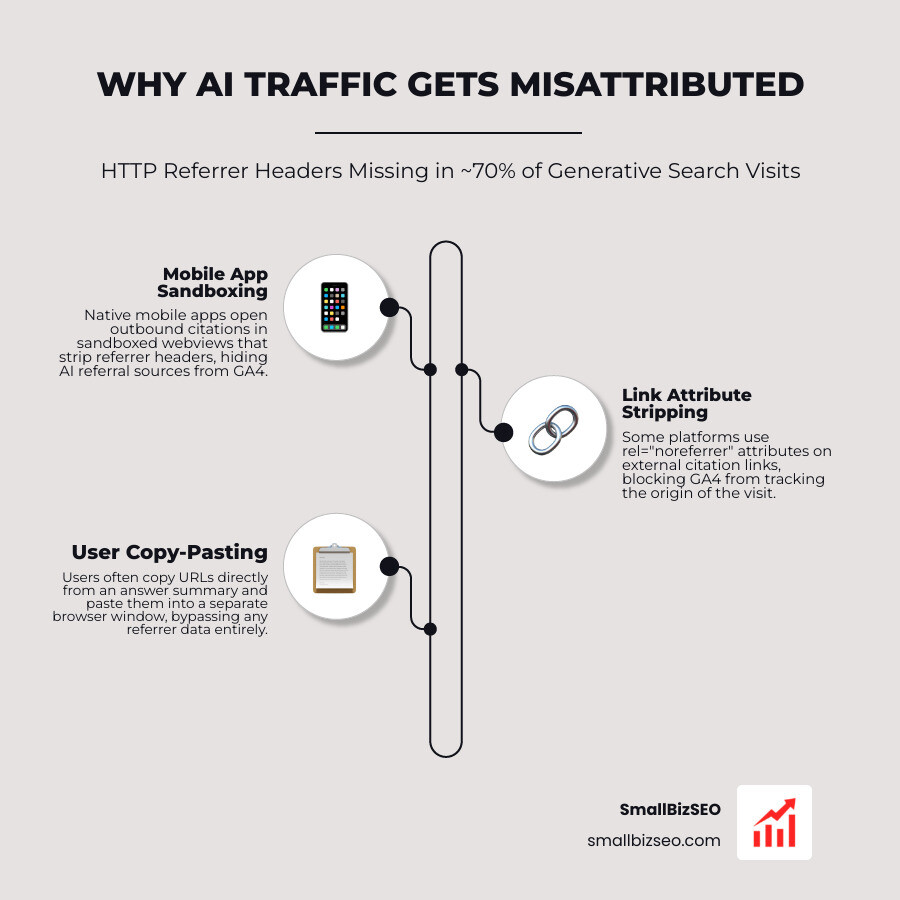
This data loss happens for several technical reasons:
- Mobile App Sandboxing: Native mobile apps frequently open outbound citations in sandboxed webviews that strip referrer headers.
- Link Attributes: Some platforms use
rel="noreferrer"attributes on external citation links. - User Copy-Pasting: Users often copy URLs directly from an answer summary and paste them into a separate browser window.
- Session Timeouts: When users leave informational tabs open indefinitely, subsequent interactions trigger new sessions without original referral data, often displaying as
(not set).
You can diagnose this dark traffic by analyzing landing page patterns. When deep informational blog posts or technical documentation pages experience unexplained surges in Direct traffic with high engagement durations, those visits often stem from uncredited conversational citations. Learning how to properly audit these patterns is essential for turning invisible AI search visits into measurable GA4 metrics.
Diagnosing Dark Visits and Optimizing for Generative Citations
A complete analytics strategy looks beyond basic client-side tags to measure the full discovery lifecycle. Conversational models use automated web crawlers to fetch website data, synthesize answers, and provide citation links to end users.
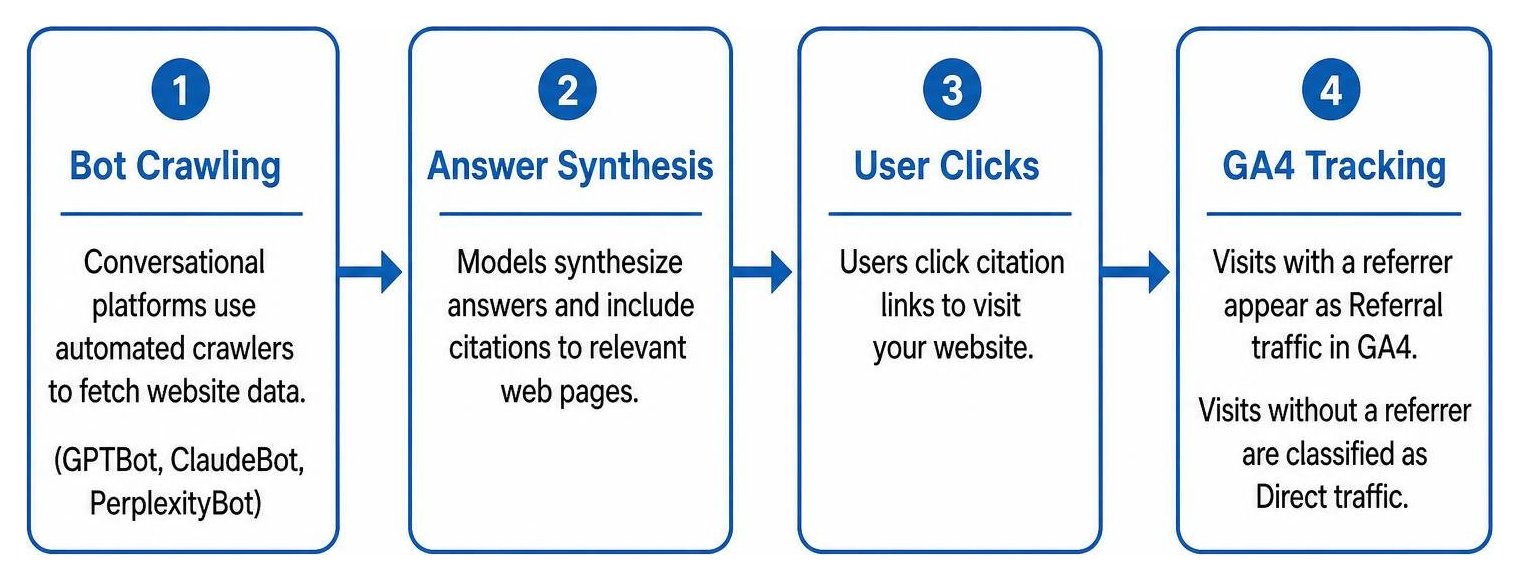
To capture the full picture of your brand's footprint:
- Server-Side Log Analysis: Monitor your raw server access logs for crawler user-agents (such as GPTBot, ClaudeBot, and PerplexityBot). A surge in crawler activity on specific URLs indicates that models are actively grounding user prompts with your content.
- Webmaster Tools Integration: Review Bing Webmaster Tools, which provides dedicated generative reporting detailing grounded queries, citation counts, and average cited pages.
- Looker Studio Dashboards: Connect your GA4 property to Looker Studio to create automated stakeholder dashboards that track month-over-month conversational discovery trends without requiring direct analytics admin access.
How Does AI Discovery Compare to Standard Organic Traffic in Quality and Value?
Visitors arriving via conversational citations represent high-intent demand. Because large language models pre-answer introductory questions, users who click through to your site have already consumed a synthesized overview and are intentionally seeking deeper source material, advanced data, or immediate solutions.
Studies show that conversational visitors can be up to 4.4 times as valuable as standard search visitors based on downstream conversion rates. On informational and technical content, these visitors routinely demonstrate 15% to 30% higher engagement rates.
Evaluating your organic conversion performance alongside traditional organic sessions helps you measure the commercial value of these visits. For deeper industry data, review our analysis on traffic and conversion benchmarks for AI search versus Google.
How Can You Turn AI Referral Insights into Greater Search Visibility?
Measuring your traffic is only the first step; the real growth comes from optimizing your content to earn consistent citations across generative engines.
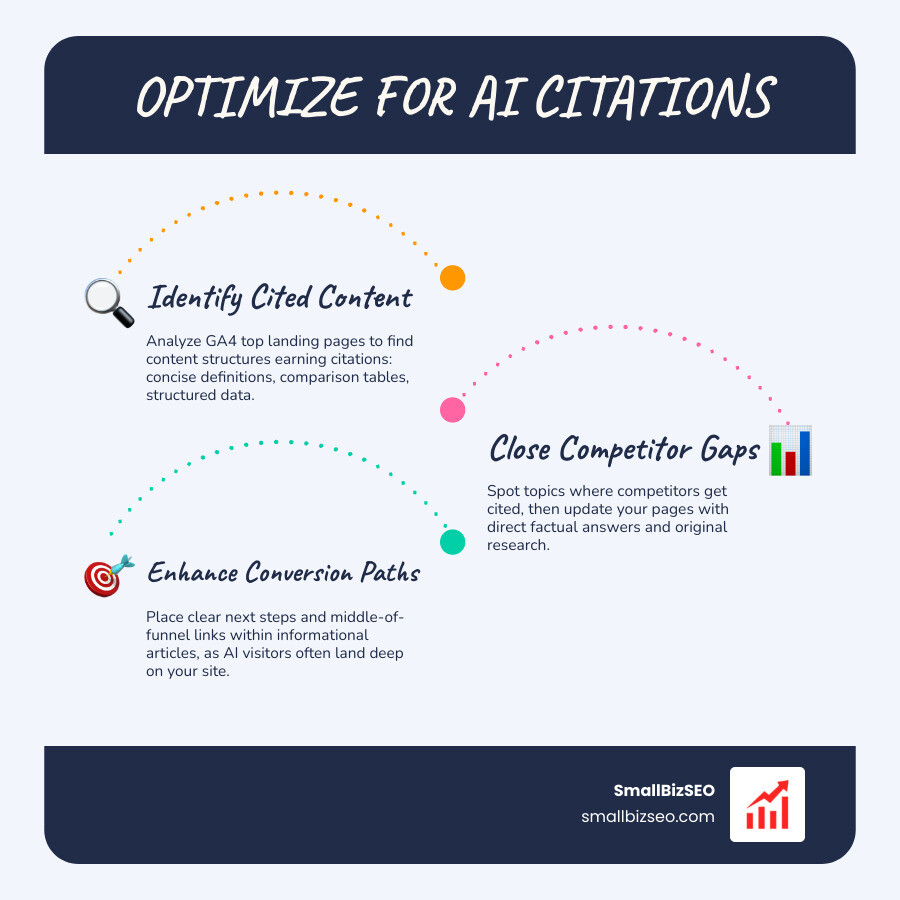
Use your GA4 data to drive strategic content improvements:
- Identify Top-Cited Content Formats: Review your top-performing landing pages in GA4 to see which content structures (such as concise definitions, clear comparison tables, and structured data) earn the most citations.
- Close Competitor Citation Gaps: Identify topics where competitors earn recommendations, and update your content with clear, direct factual answers and primary research.
- Enhance On-Page Conversion Paths: Since conversational visitors often land deep within your site rather than on the homepage, place clear next steps, middle-of-funnel links, and conversion opportunities directly within your informational articles.
- Leverage Behavioral Analytics: Use user behavior analytics for a better search experience to understand how these visitors navigate your content.
- Monitor Search Trends: Review Search Console Insights to identify which topical clusters are building overall authority.
Scaling Your Brand Visibility in Modern Search
Understanding your traffic acquisition data gives you a clear advantage as search behavior evolves. While conversational referrals currently represent a focused segment of overall web traffic, their high conversion rates make them one of the most valuable acquisition channels available.
At SmallBizSEO, we provide technical SEO, content strategy, and authoritative link-building services designed to help businesses build sustainable search visibility. Using our data-driven "Velocity" framework, we help businesses earn prominent rankings across traditional search engines and conversational discovery platforms through transparent reporting. Explore our specialized AI referral traffic services to ensure your brand captures qualified leads across modern search channels.