A Marketer’s Diagnostic Guide to Declining Branded Search Clicks

Why Are Branded Search Clicks Falling?
Here is how to investigate declining branded search clicks: compare branded clicks, impressions, and click-through rate in Google Search Console over comparable timeframes. If impressions fell, check brand demand and search visibility. If impressions held steady but clicks fell, inspect the search results for ads, AI answers, and other features that may keep people from clicking. Check site changes and analytics tracking before deciding what to fix.
I’m Clayton Johnson, founder of SmallBizSEO, where I connect technical SEO, content strategy, and link building to help small businesses build visibility and attract qualified leads. My approach to investigating declining branded search clicks is to separate changes in demand, search results, and measurement before recommending action.
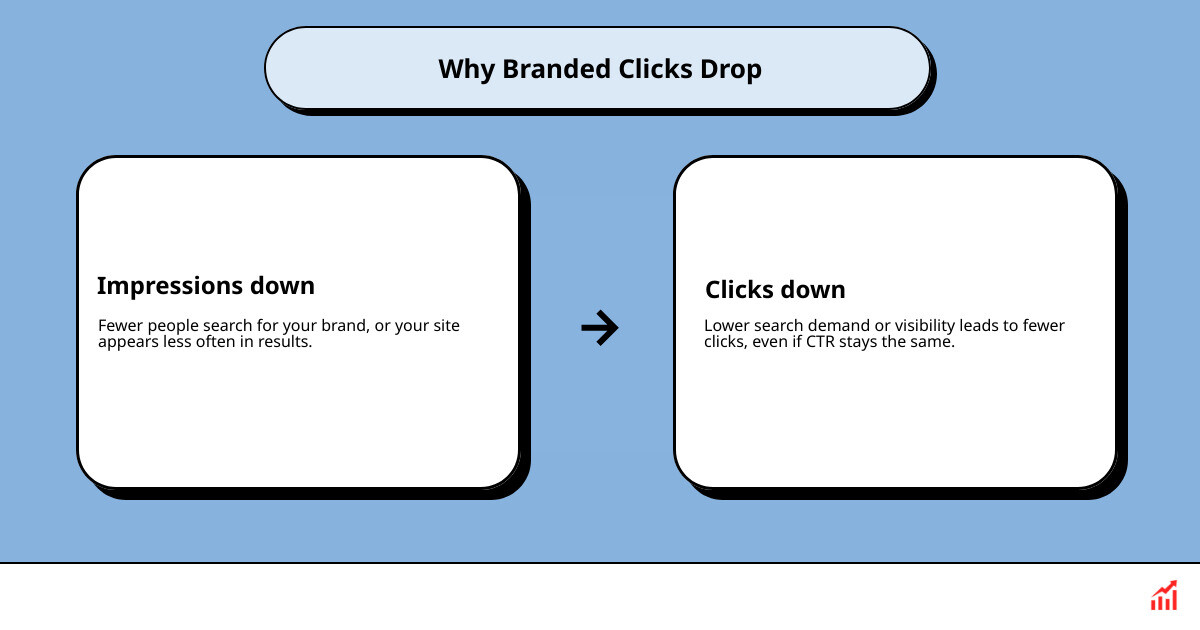
Initial Assessment: Why Are Branded Clicks Falling?
A drop in branded search clicks generally stems from one of three core root causes: overall search demand for your brand name has dropped, search engine results pages (SERPs) are resolving queries directly without sending user clicks to your website, or technical indexing issues are blocking your pages from displaying properly.
When branded organic traffic dips, marketing teams often assume a sudden penalty or algorithm crash. However, branded search behavior differs fundamentally from standard organic search. Branded queries represent existing awareness and high user intent.
To conduct a disciplined investigation, we must evaluate whether the issue is a genuine decrease in consumer interest or simply an evolution in search engine layout:
- Zero-click SERP behavior: Studies show that approximately 60% of web searches end without a click to an external website. Additionally, 80% of consumers rely on zero-click answers for at least 40% of their searches, reducing organic web traffic by 15% to 25% across industries.
- Search layout displacement: The introduction of AI-generated summaries has significantly shifted user interaction. In-depth industry benchmarks indicate that informational queries with an AI Overview present experience an average 34.5% lower click-through rate (CTR) for the top-ranking organic position.
- Reporting anomalies and tracking lags: Search performance data in Google Search Console (GSC) measures search engine interactions, while web analytics platforms measure post-click user sessions. A disruption in tracking snippets or tag firing can easily masquerade as lost organic traffic.
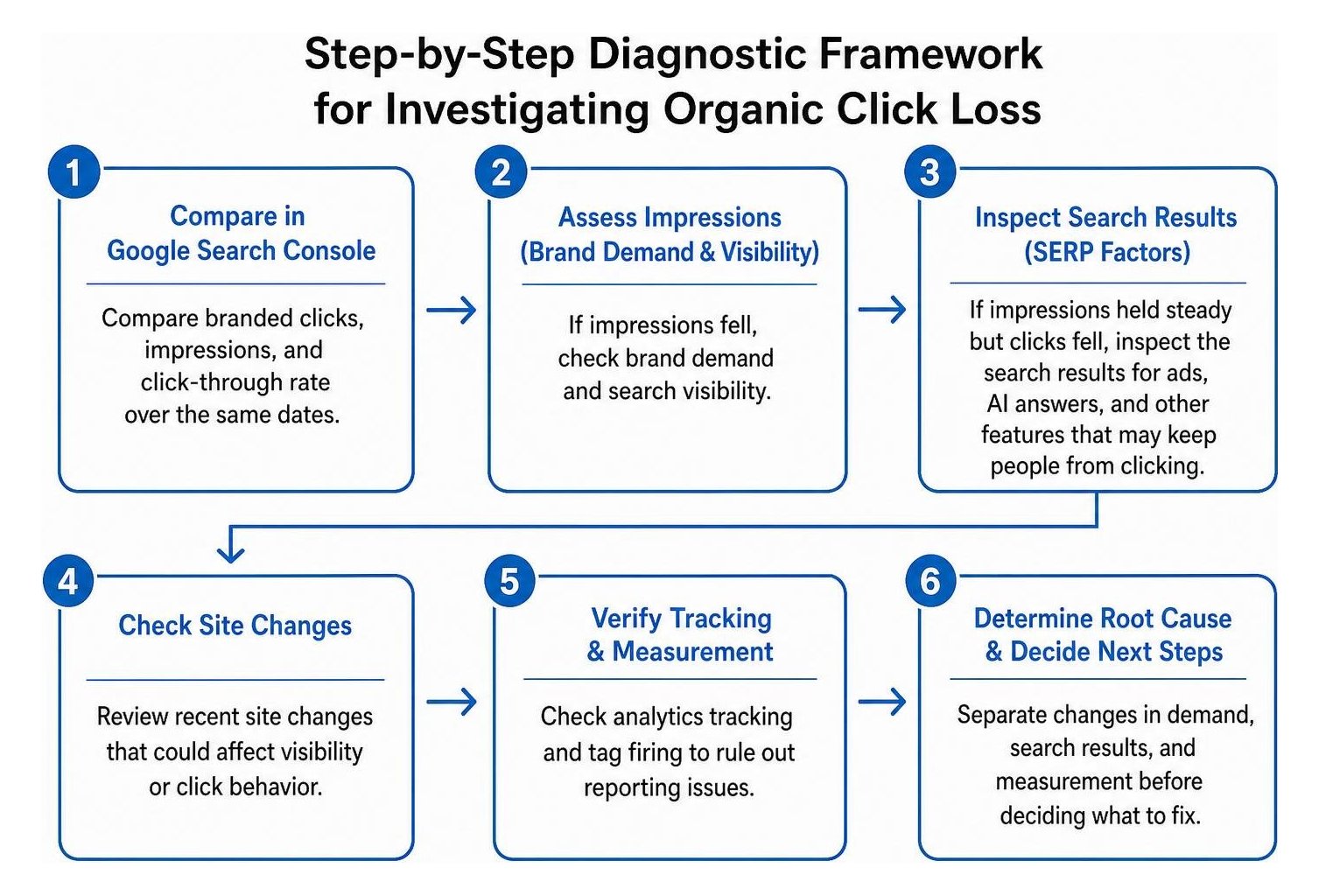
Step-by-Step: How Do You Investigate Declining Branded Search Clicks?
Investigate declining branded clicks through a systematic process of elimination: confirm the reporting accuracy, split query impressions from click rates, review SERP feature changes, evaluate external market demand, and audit technical site health.
Before implementing site edits or redesigning pages, establish a clear diagnostic protocol. Following a structured sequence prevents teams from reacting to phantom data drops or altering high-performing content unnecessarily. As outlined in Google's guide to debugging search traffic drops, search engine traffic fluctuations typically fall into specific operational patterns, including technical faults, algorithmic changes, seasonal interest shifts, and reporting errors.
Phase 1: How Do You Use Google Search Console to Investigate Branded Clicks?
Use the Performance report in Google Search Console to isolate branded search queries, comparing clicks, impressions, CTR, and average position against a multi-month historical baseline.
Google Search Console acts as the single source of truth for search engine visibility. To analyze your branded footprint:
- Open your GSC Performance report and set a long-term date comparison to assess performance against previous periods while controlling for day-of-week anomalies.
- Filter queries using regular expressions (Regex) to capture your primary brand name alongside common brand variations and product lines. Be sure you are grouping common brand misspellings to prevent fragmented reporting.
- Compare the relationship between impressions and clicks across your core branded terms.
| Diagnostic Scenario | Metric Pattern | Primary Cause | Immediate Action |
|---|---|---|---|
| Demand Loss | Impressions Down, Clicks Down, CTR Stable | Falling market interest, reduced advertising, or seasonal dips | Check Google Trends, category demand, and PR campaigns |
| SERP Absorption | Impressions Stable, Clicks Down, CTR Down | AI Overviews, Knowledge Panels, or expanded ad blocks | Inspect live brand SERP layout; optimize structured data |
| Visibility Issue | Impressions Down, Clicks Down, Average Position Drops | Indexing error, site migration bug, or algorithmic suppression | Check indexing status, canonical tags, and robots.txt |
| Snippet Deterioration | Impressions Stable, Clicks Down, Position Stable | Suboptimal meta titles, descriptions, or sitelinks | Rewrite metadata to improve click appeal and relevance |
If you notice that your average position remains at position 1.0 while impressions stay level and clicks decline, your organic ranking is intact. The drop is being driven by on-page search feature dynamics.
Phase 2: Could SERP Features or Zero-Click Results Explain the Drop?
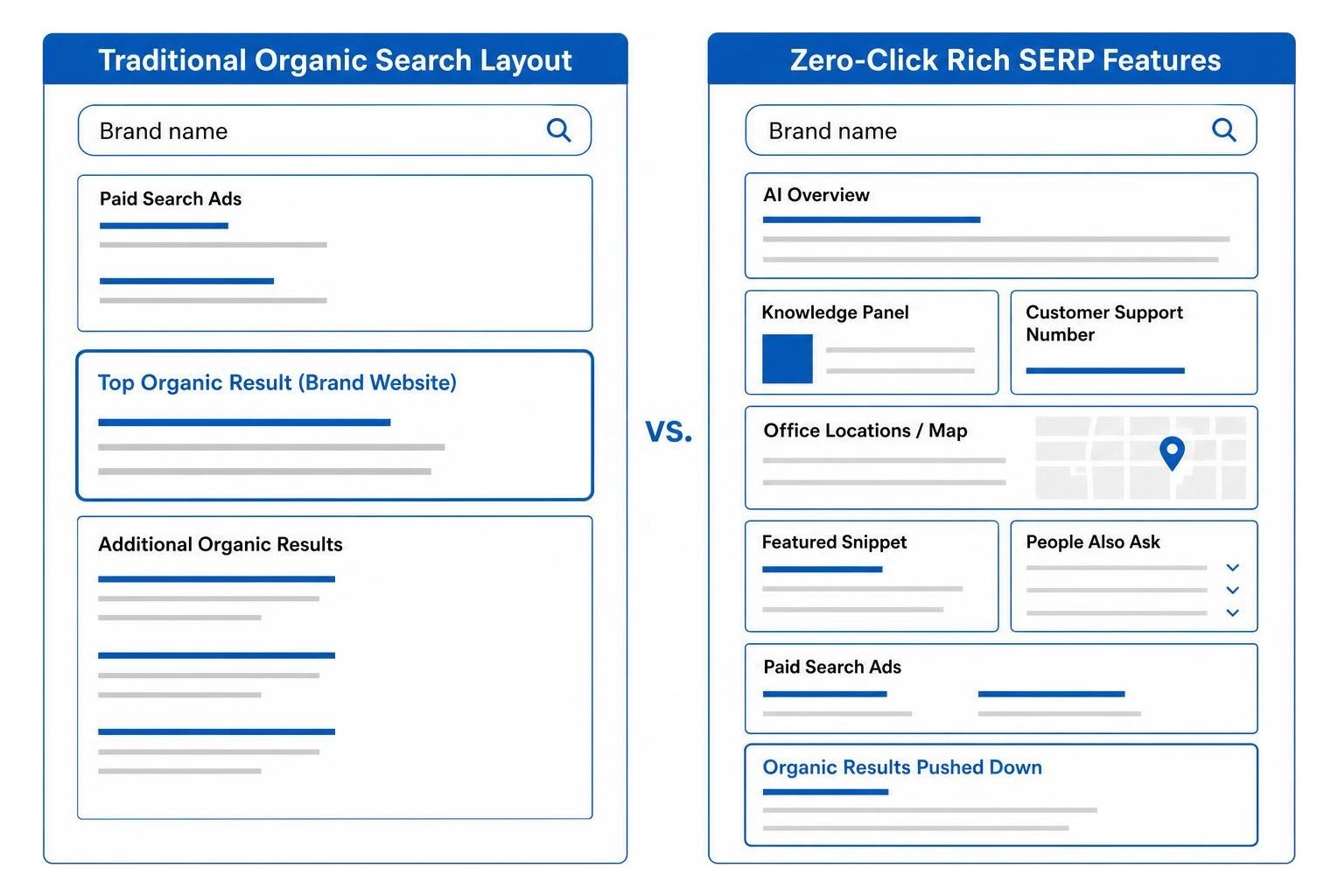
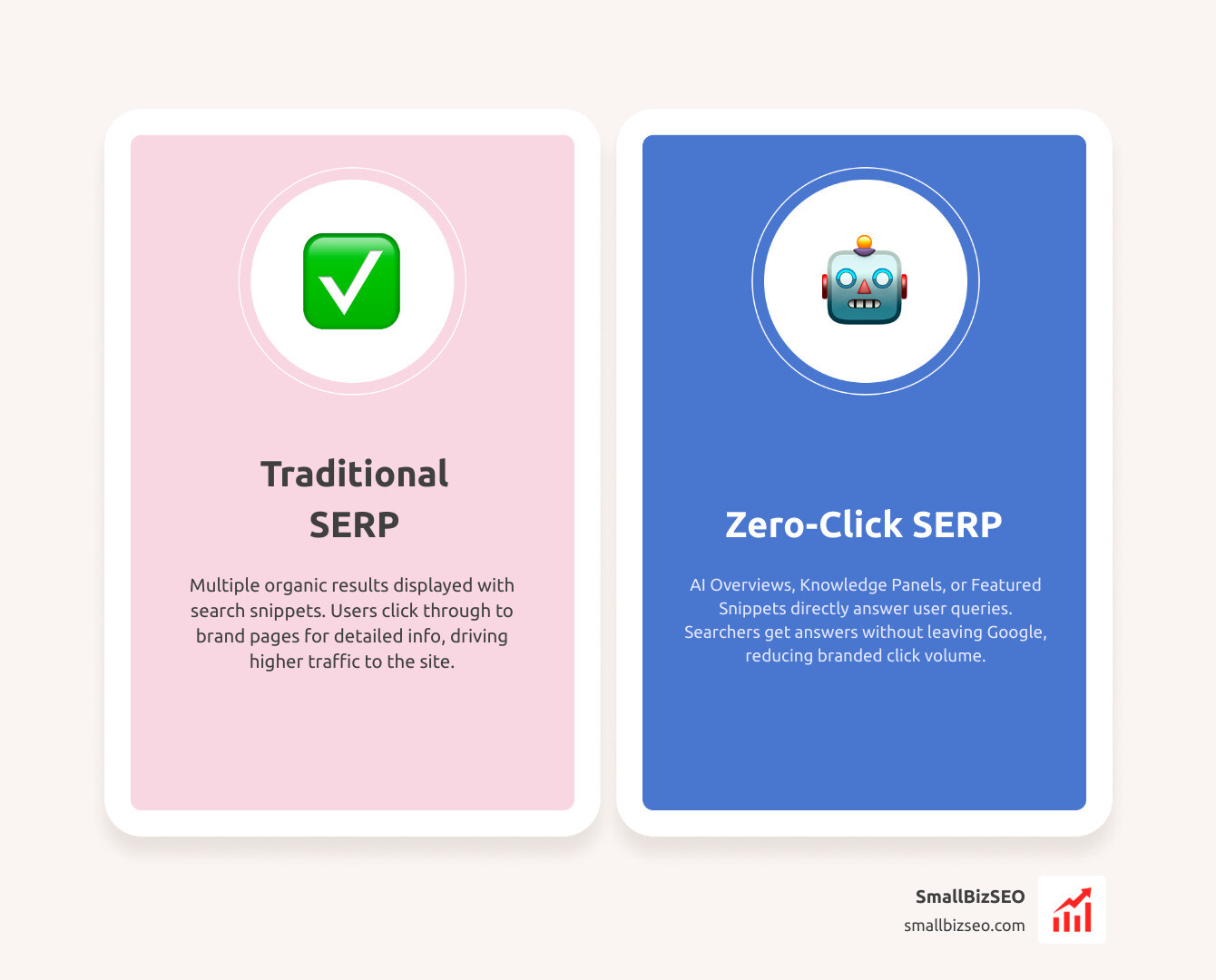
Search features such as AI Overviews, Knowledge Panels, expanded Featured Snippets, and Google Ads modules frequently satisfy branded queries directly on the search page, reducing organic click-through rates.
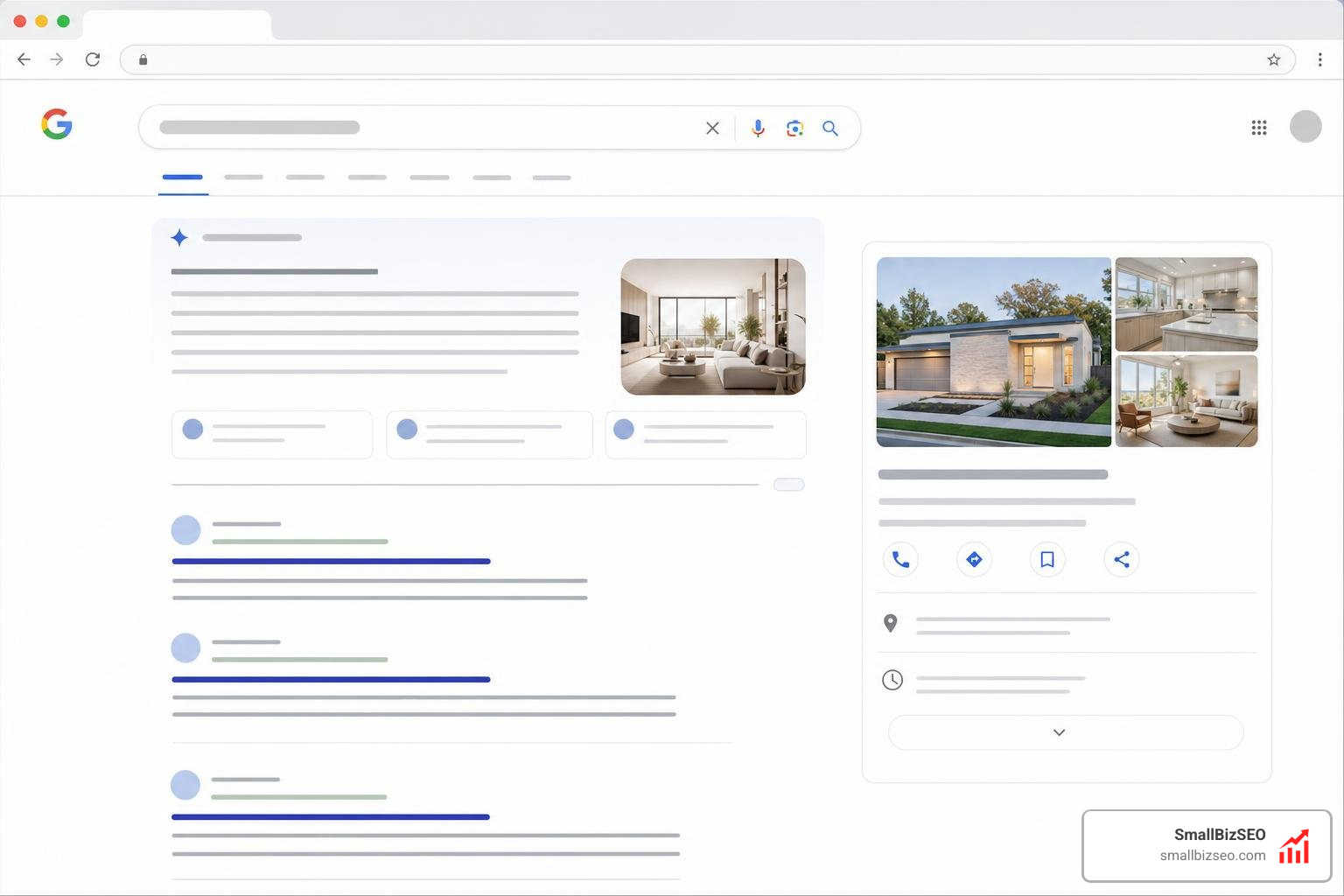
When search engines display customer support numbers, office locations, product return guidelines, or pricing snapshots directly in rich snippets, searchers obtain their answers without navigating to your website.
To evaluate whether SERP changes are absorbing your branded traffic:
- Conduct live brand SERP inspections: Run searches for your core brand terms across desktop and mobile devices. Review your brand SERP to verify what visual elements appear above your primary organic listing.
- Audit paid search cannibalization: Review your paid search campaigns. If your team or competitors increased ad spend on your branded terms, top-of-page paid search ads may be capturing clicks that previously went to organic listings. Check the official Google documentation to troubleshoot performance fluctuations and changes in Search campaigns to evaluate paid impression share and auction dynamics.
- Evaluate AI summary inclusion: Monitor whether generative search summaries have populated for navigational queries (such as customer portal logins or account management searches), diverting standard user clicks.
Phase 3: Has Brand Demand or Competitor Share of Search Changed?
Compare branded query performance with category trends, competitor search volume, and non-branded search metrics to determine if the decline reflects broader market dynamics.
A reduction in branded search clicks often mirrors shifts in brand awareness rather than an SEO deficiency. When marketing teams reduce offline media, affiliate programs, or PR outreach, branded search volume naturally contracts.
To diagnose macro-level brand interest:
- Evaluate market trends: Check Google Trends to evaluate whether interest in your brand is falling in tandem with the overall industry category or if the decline is isolated to your business.
Calculate Share of Search: Determine your market share of search volume using the simple calculation:
Share of Search = Brand Searches / (Brand Searches + Total Competitor Searches)
Tracking this ratio helps you determine whether competitors are winning brand consideration.
- Compare with non-branded organic traffic: Analyze your non-branded keyword performance. If non-branded organic traffic remains steady while branded queries decline, technical SEO is healthy, and the issue lies within top-of-funnel brand marketing.
- Audit PR and campaign schedules: Use PR attribution methods to quantify post-launch branded search demand following major product launches, sponsorships, or media appearances.
Phase 4: Could Technical Issues or Tracking Errors Be Hiding Clicks?
Technical crawl errors, accidental noindex directives, flawed redirects, and analytics tracking code breaks can hide valid search traffic or remove branded landing pages from search results.
A sudden, sharp drop in branded organic performance is frequently caused by technical site changes. Review these essential technical checkpoints:
- Indexing status: Open the Page Indexing report in Google Search Console to verify that your homepage and primary branded landing pages remain properly indexed.
- Directives and canonicals: Check that recent website updates have not inadvertently added
noindexmeta tags, faultycanonicaltags pointing to staging URLs, or restrictive directives in yourrobots.txtfile. - Crawl stats: Inspect the Crawl Stats report for spikes in server connection errors (5xx codes) or DNS lookup failures that prevent search engine bots from accessing your site.
- Analytics implementation: Audit your Google Tag Manager containers and website tracking tags. Ensure that consent mode implementations or script loading errors are not dropping session data before it records. A solid grasp of understanding brand visibility metrics ensures you do not mistake tracking script malfunctions for genuine traffic loss.

Restoring Visibility: What Should You Do Next?
Once you have identified whether the drop is caused by technical issues, SERP layout changes, tracking errors, or declining brand demand, execute a targeted remediation plan.
Effective recovery requires matching the solution directly to the diagnosed root cause:
- Resolve technical and indexing faults: Immediately remove errant
noindextags, fix broken 301 redirect chains on key navigational pages, and ensure your core branded landing pages are submitted for priority re-indexing. - Optimize your brand SERP real estate: Reclaim click-through rate by refining page titles, adding structured FAQ schema, configuring Organization markup, and managing your Knowledge Panel entries to make your organic snippets more prominent.
- Align cross-channel marketing: If true brand demand has decreased, coordinate SEO insights with PR, social media, and paid marketing teams. Knowing the distinction between distinguishing brand awareness from SEO traffic allows leadership to allocate budget toward customer acquisition initiatives that rebuild organic search interest.
- Establish automated alerting: Build an ongoing monitoring dashboard that flags sudden divergences between branded impressions and organic clicks, ensuring rapid detection of future SERP or technical shifts.
Key Takeaways: How Can You Restore Branded Search Growth?
Restoring and protecting branded search visibility requires establishing consistent reporting baselines, conducting multi-channel diagnostics, and maintaining a healthy technical foundation.
Branded search clicks represent your most valuable, highest-converting audience. When numbers drop, avoid hasty page edits. Instead, use data-driven diagnostics to isolate whether the issue is measurement noise, search layout changes, or broader brand demand.
At SmallBizSEO, we help businesses maintain strong search visibility using our data-driven Velocity framework, delivering rapid rankings and E-E-A-T-compliant organic growth backed by transparent reporting. If you need a thorough assessment of your search landscape, explore our comprehensive branded keyword analysis to safeguard your brand's presence across modern search results.