Optimize Your Online Shop for Maximum Search Traffic
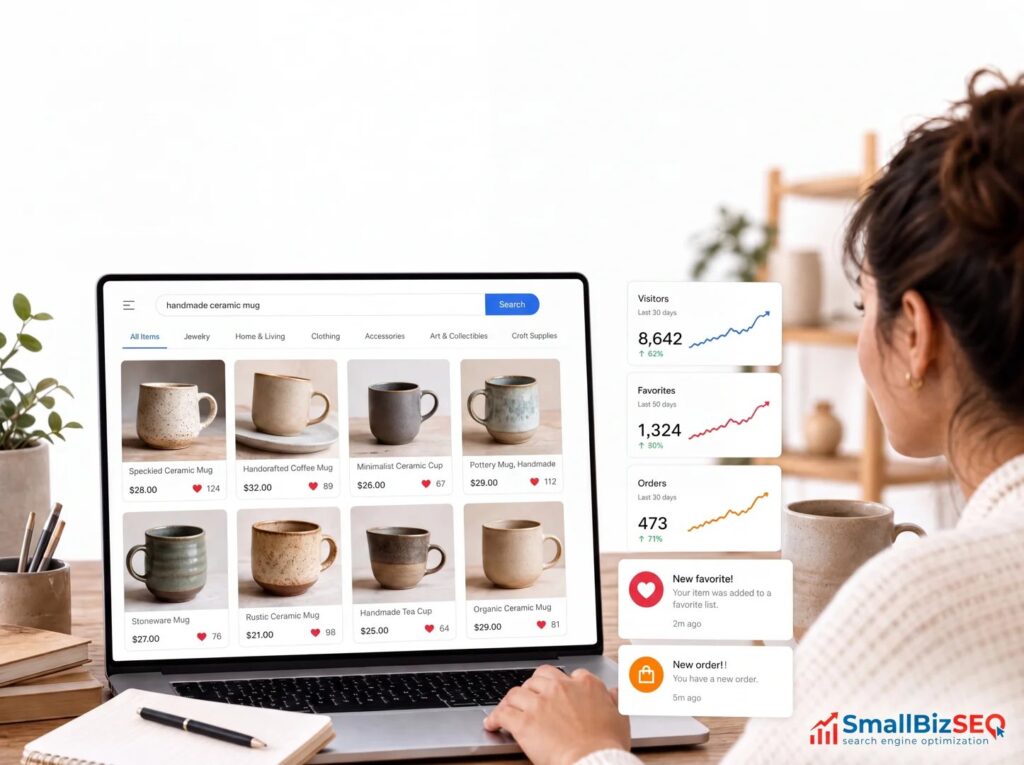
Optimize Your Online Shop for Maximum Search Traffic
What Is WooCommerce SEO, and Where Should You Start?
WooCommerce SEO helps shoppers find your store through search. Start with these WooCommerce SEO tips: choose search terms that match what buyers want, write useful and unique product descriptions, organize products into clear categories, and make your store fast and easy to use on a phone. Then check that Google can index your pages and track which visits lead to sales.
You do not need to fix everything at once. Start with your most important products and categories, then work through the technical details.
I'm Clayton Johnson, founder of SmallBizSEO. My work in SEO, content, and search visibility shapes these WooCommerce SEO tips around a practical goal: helping small businesses attract more qualified buyers.
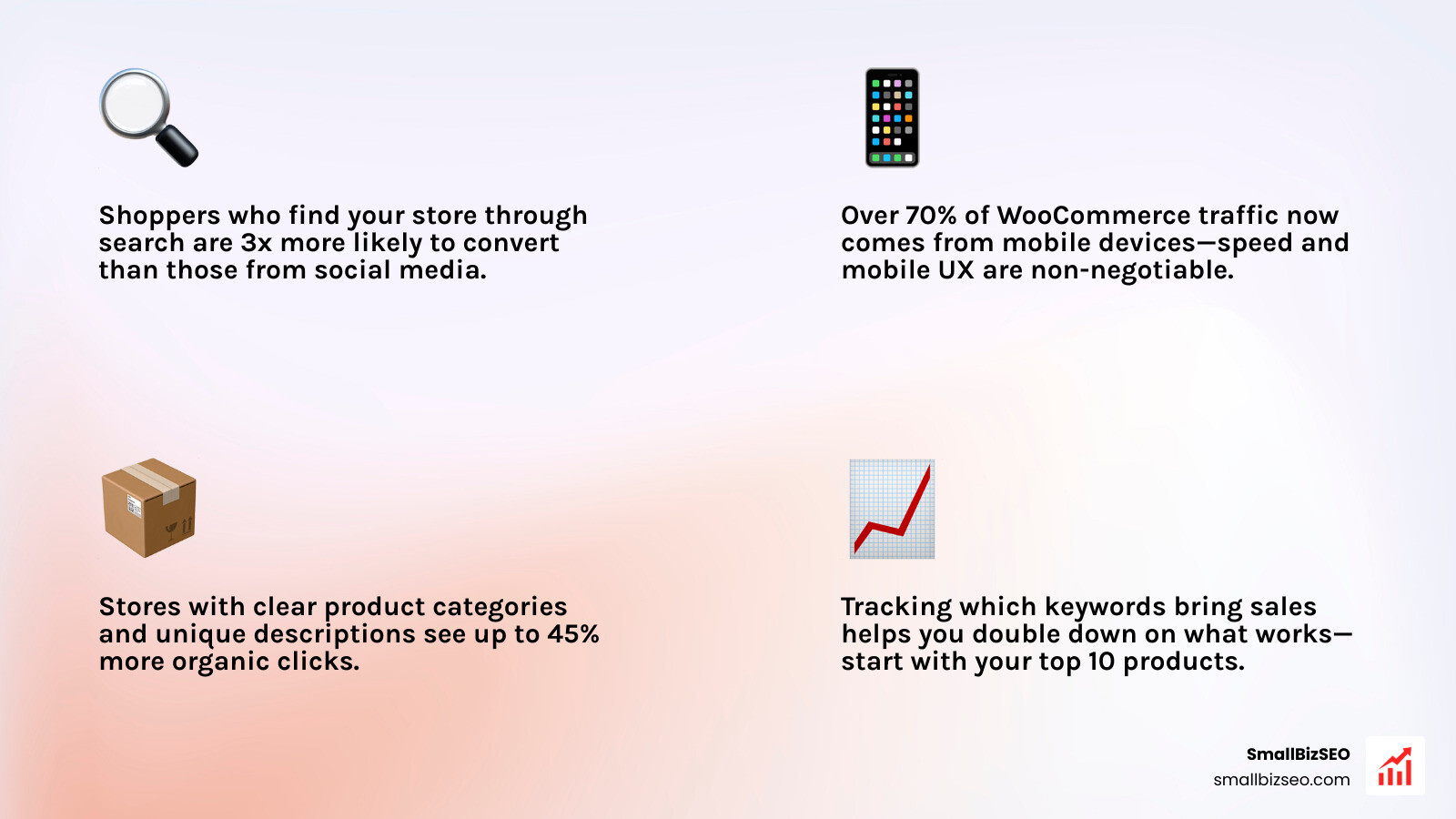
Similar topics to WooCommerce SEO tips:
12 Proven WooCommerce SEO Tips to Boost Store Rankings
To rank higher on search engines, an online store must combine clear site hierarchy, fast loading speeds, structured metadata, and intent-focused content. Optimizing a digital storefront requires moving beyond vanity traffic to attract qualified buyers who are ready to make a purchase.
Online shoppers rely heavily on search engines to discover new brands. When your catalog is structured logically, search engine bots can easily crawl every item, and shoppers can reach any product in three clicks or fewer from your homepage. Exploring the ultimate guide to ecommerce SEO services reveals how aligning technical structure with transactional intent helps search engines favor your store over generic marketplaces.
Which Technical WooCommerce SEO Tips Improve Crawlability and Speed?
Technical optimization ensures search engines can efficiently find, read, and index your product pages while delivering fast load times for visitors. Improving speed directly protects your revenue; studies show that the probability of a bounce increases by 32% as page load time goes from 1 second to 3 seconds.
We recommend evaluating your core plugins to balance technical precision and server overhead:
| Feature / Capability | Rank Math SEO | Yoast SEO (with WooCommerce Extension) |
|---|---|---|
| Product Schema Generation | Built-in automated JSON-LD (Offers, Ratings, Brands) | Requires dedicated WooCommerce extension |
| URL Slug Permalinks Cleaner | Built-in option to strip category bases | Requires manual rewrites or secondary plugins |
| Faceted Crawl Optimization | Direct controls for noindexing query parameters | Advanced settings via indexables |
| Breadcrumbs Control | Native lightweight template tags | Theme integration or shortcodes |
Beyond plugin selection, technical performance depends heavily on backend infrastructure:
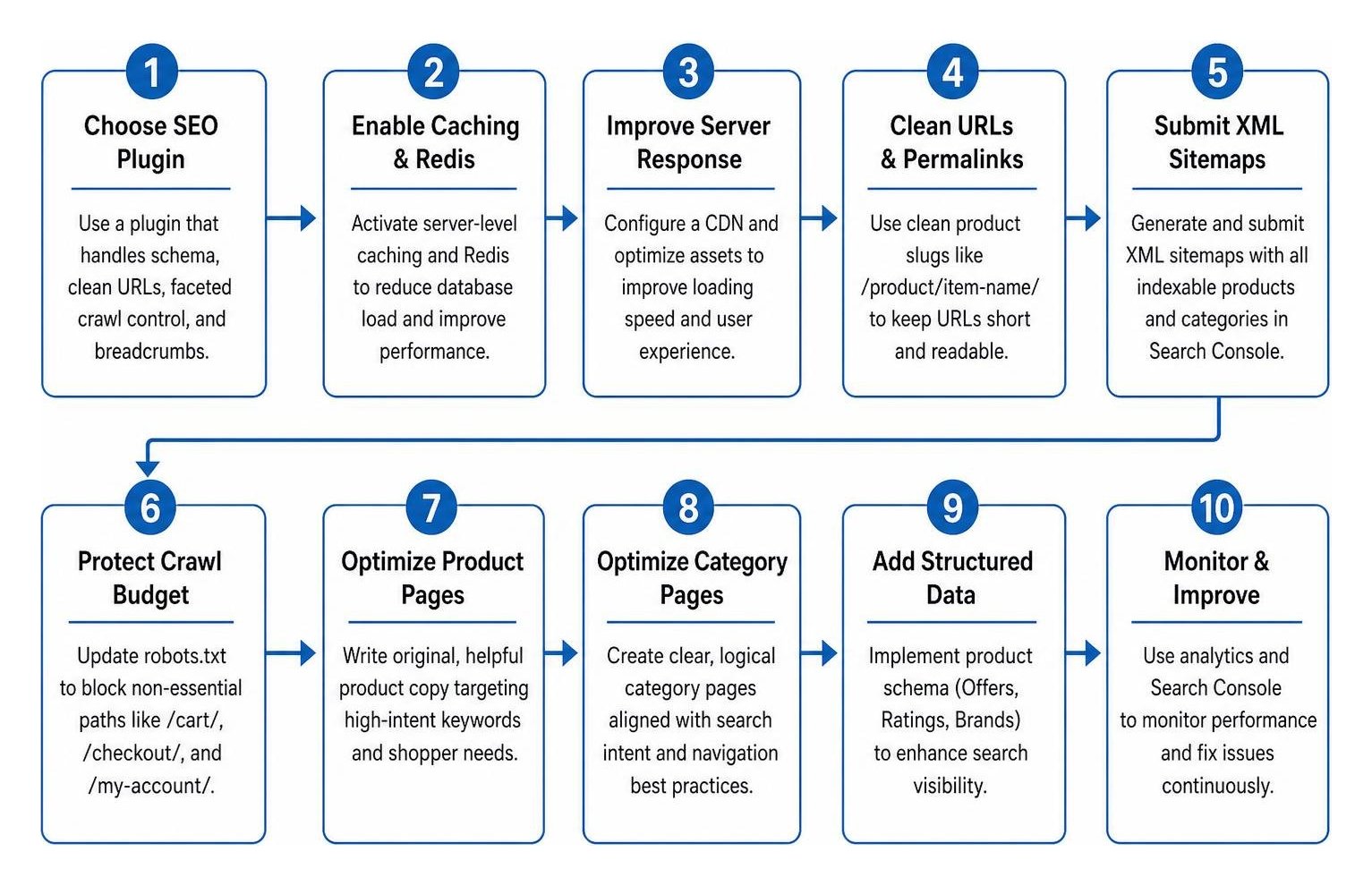
- Activate Server-Level Caching and Redis: Shared hosting setups struggle with dynamic cart requests. Pairing a robust caching plugin with Redis object caching cuts database query strain from complex product attributes.
- Improve Server Response and Rendering: Work with an experienced technical SEO company to configure a Content Delivery Network (CDN) and fine-tune your assets. This directly improves your First Contentful Paint score by serving static assets from edge locations closest to your shoppers.
- Clean Up URLs and Permalinks: Keep permalinks concise by navigating to your WordPress dashboard settings. Select standard product slugs like
/product/item-name/to avoid bloated, unreadable URL strings. - Submit Dynamic XML Sitemaps: Ensure your SEO plugin generates clean XML sitemaps containing all indexable product URLs and category archives. Submit this sitemap directly inside Google Search Console. Reviewing official guidelines like ecommerce SEO: how to get started confirms that regular sitemap pinging accelerates new SKU indexation.
- Protect Crawl Budget in robots.txt: Restrict search engine bots from wasting crawl resources on transactional administrative paths. Use your robots.txt file to disallow
/cart/,/checkout/, and/my-account/.
How to Optimize Product and Category Pages with On-Page WooCommerce SEO Tips?
On-page optimization involves writing helpful, original product copy and designing clear category navigation tailored to high-intent keywords. High-performing product pages target specific search queries rather than relying solely on manufacturer descriptions.
Executing proper on-page SEO across your shop requires practical adjustments to key page elements:
- Write Helpful Descriptions: Craft 150 to 300 words of unique body text for every product. Detail dimensions, materials, care instructions, compatibility, and real-world use cases to answer buyer questions before checkout.
- Construct High-CTR Title Tags: Follow a reliable naming formula:
Primary Keyword - Key Feature or Model | Brand Name. Keep titles under 60 characters so they display cleanly on search result pages. - Draft Persuasive Meta Descriptions: Write action-oriented summaries between 140 and 155 characters. Include free shipping thresholds, warranty details, and a clear call to action to boost organic click-through rates.
- Optimize Product Imagery: High-resolution photography shouldn't slow down your site. Compress all media, serve modern WebP formats, and write natural image alt text containing your focus keyword to capture visual search traffic.
- Treat Categories as Landing Pages: Category pages often hold the highest ranking potential for broad commercial terms. Add 150 to 250 words of introductory content at the top of each category archive and link down to popular subcategories.
- Enable Visible Breadcrumbs: Breadcrumbs provide structured pathways that help visitors navigate your store hierarchy while creating valuable internal links for search crawlers.
How Does Structured Data and Product Schema Drive Rich Snippets?

Structured data uses standardized JSON-LD code to communicate specific product details like price, stock availability, and customer reviews directly to search engines. Adding this markup allows Google to transform standard search listings into eye-catching rich snippets that significantly increase click-through rates.
Essential schema properties every WooCommerce store should implement include:
Product: Identifies the core item, its brand name, and its unique identifier (such as GTIN, ISBN, or MPN).OfferorAggregateOffer: Communicates the exact price, currency, availability status (such asInStockorOutOfStock), and thepriceValidUntilproperty to prevent stale search listings.AggregateRatingandReview: Pulls verified customer feedback and star ratings directly into search results.
You can validate your structured data by running URLs through Google's Rich Results Test tool to catch and correct any missing required fields.
How to Prevent Duplicate Content and Crawl Bloat Across Variations?
Preventing duplicate content requires managing product attribute URLs, setting proper canonical tags, and keeping thin archive pages out of search engine indexes. WooCommerce stores often generate thousands of filtered parameter URLs that dilute authority and waste search engine crawl capacity.
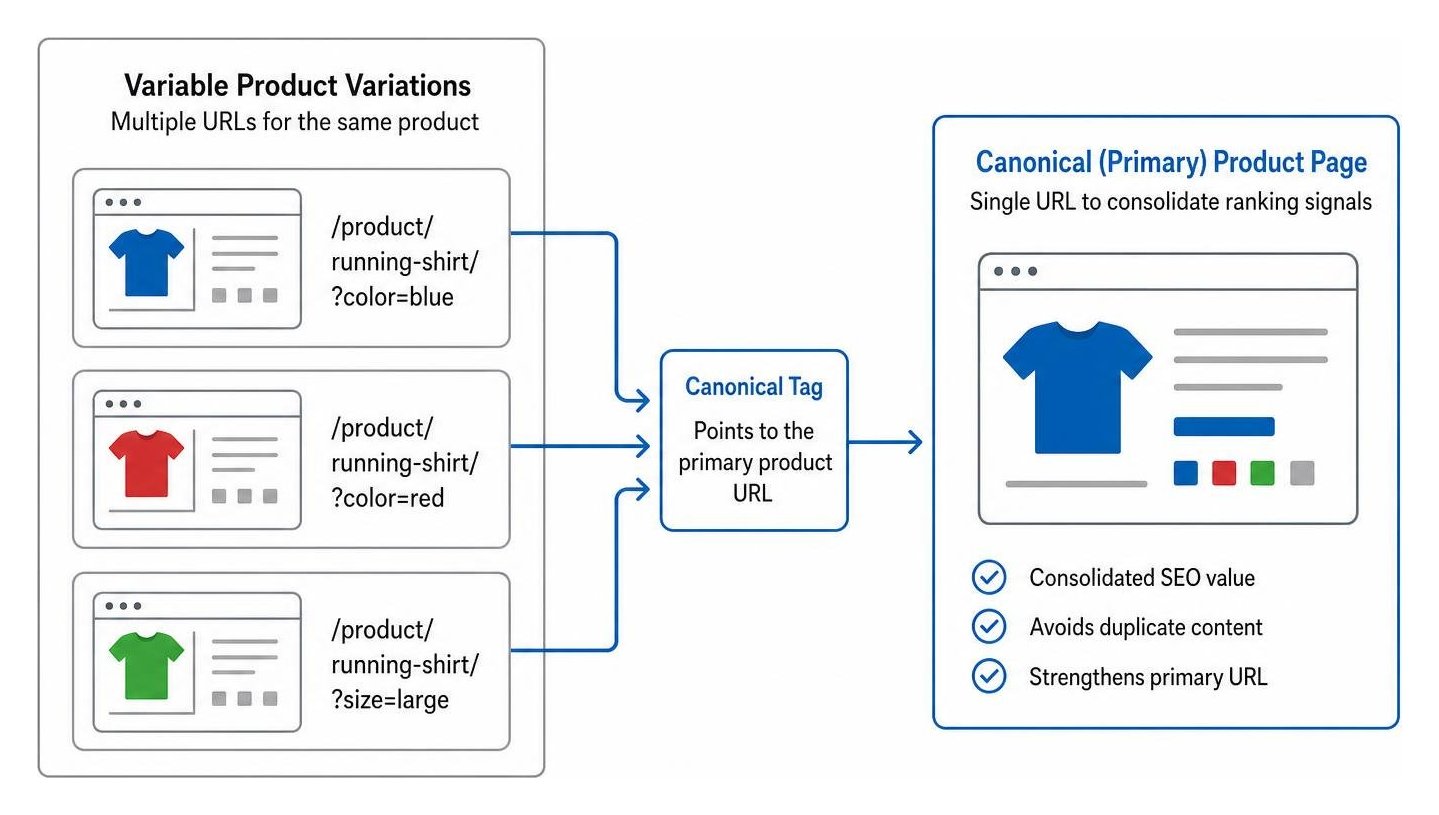
To protect your site from keyword cannibalization and index bloat:
- Standardize Variation Canonicals: Ensure variable products (such as items available in multiple sizes or colors) use canonical tags pointing back to the primary parent product URL.
- Control Faceted Navigation: E-commerce filters for price ranges, sorting, or minor attributes create duplicate content. Use your SEO plugin to apply a
noindex, followdirective to thin filter parameters while keeping main category archives indexable. - Distinguish Categories from Tags: Reserve categories for broad, hierarchical store organization (e.g., Men's Footwear > Trail Running Shoes). Use product tags sparingly for cross-cutting traits (e.g., waterproof, breathable), and set low-value tag archives to
noindexif they contain only one or two items. - Manage Architectural Transitions: For growing stores exploring decoupled setups, following a headless WooCommerce SEO architecture guide ensures server-side rendering and edge caching maintain full URL parity without creating orphan pages.
How to Implement Answer Engine Optimization and Mobile Best Practices?
Answer Engine Optimization (AEO) structures your content to be easily referenced by AI-driven search overviews and conversational queries, while mobile optimization ensures seamless shopping on small screens. With more than 70% of e-commerce purchases happening on mobile devices, responsive performance directly determines search visibility.
To capture conversational queries and maintain strong mobile usability:
- Format Content for Quick Extraction: Use clear subheadings structured as direct customer questions, followed immediately by concise, two-sentence answers.
- Optimize for Mobile Touchpoints: Adhere strictly to mobile-first indexing standards. Maintain font sizes of at least 16 pixels, design tap targets of at least 24 by 24 pixels, and eliminate intrusive promotional pop-ups that block mobile screens.
- Build Search Trust Through E-E-A-T: Learn how to optimize your content for E-E-A-T by featuring verified buyer reviews, visible business policies, clear author bylines on buying guides, and comprehensive return information.
- Publish Informational Buying Guides: Launch a dedicated store blog to answer early-stage research questions (e.g., "how to choose trail running shoes for flat feet") and link internal traffic directly to relevant product categories.
Fuel Sustainable Revenue with a Data-Driven Store Strategy
Evaluating organic revenue, conversion rates, and SKU-level visibility provides the actionable insight needed to continually expand your store's market share. Relying solely on raw traffic metrics can obscure whether your search presence is actually driving profitable checkouts.
We monitor store growth by integrating Google Analytics 4 enhanced e-commerce tracking with Google Search Console. This reveals exactly which queries deliver high-intent shoppers, allowing you to optimize underperforming product listings and resolve technical errors before they impact revenue.
SmallBizSEO uses our proprietary "Velocity" framework to deliver fast organic rankings and E-E-A-T-compliant visibility backed by transparent, automated reporting. To identify crawl bottlenecks, fix structured data warnings, and unlock hidden revenue across your catalog, claim your store growth roadmap with an SEO Visibility Audit today.